

Ever feel like your SEO is stuck in neutral? You're publishing great content, but your rankings just won't budge. A surprisingly common culprit is something called keyword cannibalization, and it's a silent killer for lead generation.
It happens when multiple pages on your website are all trying to rank for the same keyword. Instead of Google seeing one strong, authoritative page, it sees several competing ones from the same domain. This confusion splits your site's authority, and as a result, all of those pages rank poorly, or not at all.
Think of it this way: you wouldn't send two different sales teams to pitch the same client on the same day. They would trip over each other, present conflicting messages, and ultimately confuse the prospect, likely costing you the deal. That’s exactly what keyword cannibalization does to your website in the eyes of Google. It's a self-inflicted wound that dilutes your marketing message and makes your business much harder for potential clients to find.
When Google’s crawlers find multiple pages on your site that seem to target the same search query, they don't know which one to prioritize. Is your main "Managed IT Services" page the most important? Or is it that three-year-old blog post about the benefits of managed services? Instead of making a choice, Google might just hedge its bets and rank all of them lower.
For an MSP or cybersecurity firm, this is a direct threat to your sales pipeline. You might have separate pages for "outsourced IT helpdesk," "IT support for small businesses," and a blog post titled "Why You Need an Outsourced Helpdesk." While well-intentioned, this internal competition means you're fighting yourself for visibility instead of outranking your actual competitors.
In simple terms, keyword cannibalization is when multiple pages on your own website compete for the same keyword and search intent. This forces Google to choose between your pages, effectively splitting your ranking power and preventing any single page from achieving its full potential. For a deeper dive, Search Engine Land's guide is an excellent resource.
This diagram shows exactly how this internal competition leads to lower rankings across the board.
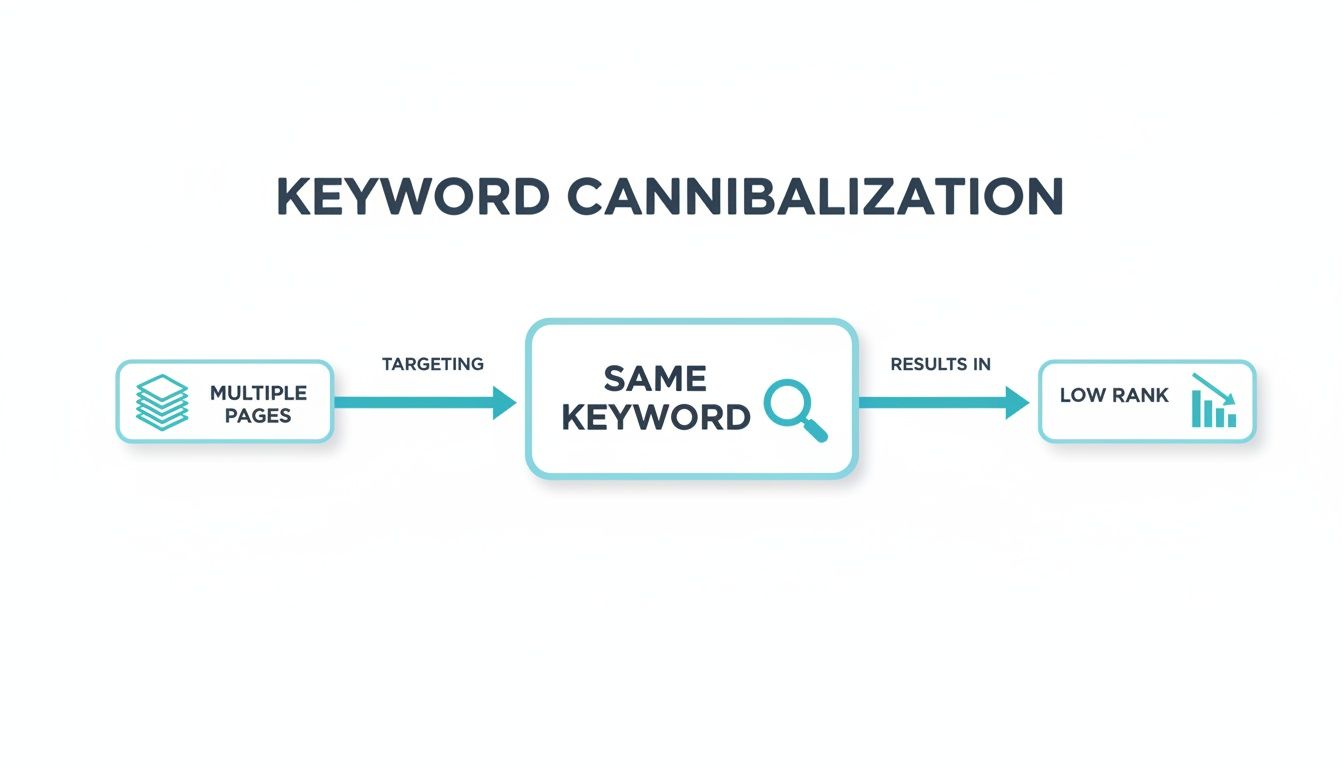
As you can see, spreading your efforts thin prevents any one page from building enough authority to claim a top spot.
This isn't just some abstract SEO theory; keyword cannibalization has a very real, tangible impact on your bottom line. When your pages are fighting each other, you're actively losing business. Here’s how:
Keyword cannibalization isn't some minor technical SEO issue you can just ignore. It's a silent killer of your MSP's lead generation efforts, actively working against the growth you're trying to achieve. When you have multiple pages on your site fighting for the same keyword, you’re essentially forcing Google to pick a winner. Often, it picks the wrong one or gives up on all of them.
This internal competition creates a confusing experience for both search engines and, more importantly, your potential clients. It directly undermines the trust and authority you work so hard to build, and the damage it causes has a real impact on your bottom line.

Let's unpack the specific ways this problem quietly dismantles your marketing performance.
In the world of SEO, backlinks are gold. They're votes of confidence from other websites, signaling to Google that your content is valuable and trustworthy. When a reputable tech publication or local business partner links to one of your pages, it passes along some of its authority, boosting that page’s ranking power.
But when you have keyword cannibalization, that authority gets spread thin.
Imagine you have two different pages on your MSP site trying to rank for "cybersecurity solutions for small business." One might be a blog post, the other a service page. A few sites might link to the blog, and a few others to the service page. Instead of one strong page with 10 powerful backlinks, you have two weak pages with 5 each. Neither has enough concentrated authority to outrank your competitors.
By consolidating your efforts, you can funnel all that valuable link equity into a single, authoritative resource. This sends a crystal-clear signal to Google that this is your definitive page on the topic, dramatically improving its chances of hitting the front page.
Google doesn’t have unlimited time to explore your website. It allocates a specific amount of resources, known as your crawl budget, to discover and index your content. When you have several redundant pages, you're making Google's crawlers waste that budget on content it has already seen.
This means your newest blog posts, updated service offerings, or critical case studies might take longer to get indexed and appear in search results. By cleaning up cannibalization, you ensure Google's crawlers focus on your most important, high-value content first.
This is a huge deal for growing MSPs. Let's say you published a blog post on 'best cybersecurity practices' a few years ago. Now, you've just launched a new, comprehensive guide on the same topic. If both are optimized for the same terms, they compete. As the experts at Yoast point out, this unintentional overlap confuses search engines, dilutes backlink value, and ultimately leads to lower rankings for both pages.
Perhaps the most immediate and damaging effect of cannibalization is the terrible user experience it creates. Think about it from a potential client's perspective. They search for "managed IT services in Dallas" and click on your site, but instead of landing on your polished service page, they get an old, outdated blog post from 2021.
That single moment of confusion can be fatal for a lead. It almost always results in one of these negative outcomes:
At the end of the day, keyword cannibalization creates friction. It makes it harder for the right person to find the right page at the right time, and that friction translates directly into lost leads and missed revenue.
Think your own website might be its own worst enemy in search results? It happens more often than you'd think. Spotting keyword cannibalization doesn't require a deep technical background, just a little know-how and the right places to look.
Let's walk through a few straightforward ways to find out if your pages are fighting each other for the same keywords.
Your first stop should always be Google Search Console (GSC). It’s a free tool that gives you a direct line to how Google sees your site. Think of it as Google’s report card on your website’s search performance.
To get started, log into your GSC account and head straight to the "Performance" report. This is where you'll find a treasure trove of data on the keywords bringing traffic to your MSP or cybersecurity firm.
Here’s a quick process to follow:
If you see multiple URLs listed there, all pulling in impressions and clicks for that one query, you've almost certainly found a cannibalization issue. Google is essentially hedging its bets, splitting traffic between these pages because it can't figure out which one is the definitive answer.
Another fast and surprisingly effective method is a simple Google search command. This manual check instantly shows you every page on your site that Google has indexed and connects to a specific keyword.
Just open a Google search and type in the following, swapping in your own domain and keyword:
site:yourdomain.com "keyword"
For example, an MSP in Austin could search site:youmsp.com "it support austin". The results will lay out every single page on your site Google considers relevant. If a mix of service pages, blog posts, and old landing pages all pop up, you have a crystal-clear sign of internal competition.
Beyond running direct checks, keyword cannibalization often leaves a trail of breadcrumbs in your analytics. Learning to spot these warning signs can help you catch problems before they seriously hurt your lead generation.
Keep a close eye out for these classic giveaways:
These issues are all clues that your content needs to be better organized. Running a full SEO content audit will give you the comprehensive view needed to fix these problems for good. By diagnosing cannibalization early, you can take back control of your SEO and make sure the right pages are attracting the right clients.
Realizing your own website is your biggest SEO competitor can be a tough pill to swallow. The good news? Fixing keyword cannibalization isn't some dark art; it's a methodical process. Once you’ve found the pages that are fighting each other, all you need is a solid plan to clean up the mess and consolidate your authority.
This isn’t about trashing content you spent hours creating. It’s about being strategic, merging your best assets into a single powerhouse page that Google simply can't ignore. Let's walk through the exact four-step playbook we use to resolve cannibalization and get an MSP's SEO back on track for generating real leads.

First things first, you need to analyze the competing pages you uncovered and choose a "winner." This will become your one, authoritative page for that target keyword. This decision can't be based on a gut feeling; it has to be driven by data.
Get into your analytics and size up each competing page. Here's what to look for:
The page that consistently comes out on top across these metrics is your champion. This is the foundation you'll build on.
With a winner chosen, it's time to make it unbeatable. The idea is to create one definitive resource that’s far better than any of the individual pages were on their own. You'll do this by taking the best parts of the underperforming pages and merging them into your primary one.
Comb through those "losing" pages. Are there any unique insights, great explanations, useful stats, or helpful images? Copy those valuable elements over to your main page. Don't just tack them on at the end: carefully weave them into the existing content to create a more comprehensive and logical resource.
Think of it like this: You're taking three or four decent blog posts and turning them into one ultimate guide. That new, powerhouse page is instantly more valuable to your audience and sends a much clearer signal of expertise to Google.
By consolidating, you're not just tidying up your site. You're building a more powerful asset that strengthens your topical authority, proving to Google that you are the go-to expert on that subject.
This step is non-negotiable. Once your content is merged and you're ready to get rid of the old, redundant pages, you must set up 301 redirects. A 301 redirect is a permanent instruction that tells search engines and browsers that a page has moved to a new address.
Why is this so critical? A 301 redirect passes the SEO value, often called "link equity," from the old page to your new one. All the authority from those hard-earned backlinks gets transferred, not lost. It also guarantees that anyone clicking an old link gets sent to the right place instead of hitting a dead end.
Without redirects, you'd be throwing away all that ranking power and creating a terrible user experience with broken links. For every old page you take down, set up a 301 redirect that points to your new master page. This funnels all your SEO juice into a single, authoritative URL.
Your final step is some digital housekeeping. You need to comb through your own website and update any internal links that still point to the old pages you just deleted. Your internal linking is like a roadmap for both users and search engine crawlers, so it needs to be accurate.
Search your site for any links pointing to the now-redirected URLs and update them to point directly to your new, consolidated page. This action reinforces to Google that the new page is the most important resource on this topic.
This is also the perfect opportunity to review other pages. If you have other posts that mention the keyword but target a different user intent, make sure they link back to your new pillar page. This helps clarify your site's structure and cements the new page's role as the central hub for that topic, finally resolving any confusion about what is keyword cannibalization in SEO.
Fixing old SEO problems is one thing, but the real win is building a content strategy that avoids those problems in the first place. A proactive approach means every blog post, service page, and case study you publish has a clear, unique job to do. This is how you stop keyword cannibalization before it even starts, making your entire marketing engine run more efficiently.
The most effective way to do this is by creating a central document that acts as the blueprint for all your content. Think of it as your website's air traffic control system.

A keyword map is your single source of truth for content. It's essentially a spreadsheet that assigns every target keyword to one, and only one, URL on your site. Before anyone on your team even thinks about writing, they can check this map to make sure the keyword they want to target isn't already assigned to another page.
This simple step alone prevents the most common cause of cannibalization, which is different people accidentally creating competing pages for the same term. It forces a strategic conversation upfront about what each page is meant to accomplish.
For instance, your map would explicitly state that "managed IT services" belongs to your main service page. Meanwhile, a long-tail query like "benefits of managed IT services" is assigned to a specific blog post. Getting this right from the beginning is critical, and it’s a natural part of doing thorough keyword research for your MSP.
A keyword map isn't just a list; it's a strategic agreement. It ensures every piece of content you produce has a unique job, a specific audience, and a clear path to ranking without stepping on the toes of other pages.
Just as important is getting a handle on search intent, the "why" behind what someone types into Google. A huge driver of cannibalization is creating content that doesn't match what the user is actually looking for. You have to give people what they want.
For MSPs and cybersecurity firms, there are two primary types of intent to focus on:
If you write a blog post trying to rank for a commercial keyword, you're creating a fundamental mismatch. Google understands the user is ready to buy and wants to see service offerings, not just read an article. This mismatch causes the "wrong" page to rank, or even worse, it confuses Google so much that neither page ranks well. Aligning your keyword map with search intent creates a clean, effective site structure that serves both users and search engines perfectly.
As you plan your content, it's vital to know how to assign keywords to avoid these conflicts. For more detailed guidance, it helps to understand the best practices for how many keywords per page.
As we've seen, keyword cannibalization isn't just some obscure SEO term. It's a real, tangible roadblock preventing predictable leads from finding your MSP. When your own pages are fighting each other for search engine attention, you're unintentionally hiding your expertise from the very clients who are actively looking for your help.
We've walked through how to spot these issues with some straightforward tools, consolidate scattered content into powerful pillar pages, and lay the groundwork with a keyword map to stop problems before they start. The path forward is clear. And the reward? A much stronger pipeline of genuinely qualified leads.
You’re an expert in managing complex IT infrastructure and securing client networks. Your time is far too valuable to be spent wrestling with redirects, sifting through content audits, and trying to untangle SEO puzzles. That's our job.
You should be leading your team and serving your clients, not getting lost in the weeds of digital marketing. Let us handle the SEO, so you can focus on serving the new clients we help you attract.
Untangling messy SEO issues like keyword cannibalization is what we live for. Our agency was built specifically to help MSPs and cybersecurity firms dominate their local markets. We fix the foundational problems and build a lead-generation engine that works for you, day in and day out.
We start by getting your house in order and then build a strategy for sustainable growth.
If you're ready to stop competing with yourself and start outranking your actual competitors, it’s time for a conversation. Let’s take control of your SEO and turn your website into your most effective salesperson.
Even after you get the basic concept down, keyword cannibalization can feel a bit tricky in practice. As an MSP or cybersecurity firm, you have a lot of overlapping services and topics, so it's natural for questions to pop up.
Let's clear the air and tackle some of the most common questions we hear from clients.
Not at all, if you do it right. The key is search intent.
For example, it's perfectly fine to have a service page for "managed data backup" targeting potential customers ready to buy (commercial intent). At the same time, you could have a blog post titled "How to Choose a Data Backup Solution" for people who are still in the research phase (informational intent). They target different needs, so Google sees them as distinct.
The problem starts when you have two, three, or even more pages all trying to rank for the exact same keyword and intent. That's when you're just making your own pages fight each other. A great way to handle this is with a well-planned content hub, where a main "pillar" page links out to more specific "cluster" articles. This demonstrates deep expertise without creating a competitive mess.
I get this question a lot, and it's an important distinction. The two are often confused, but they are fundamentally different problems.
To put it simply: stuffing is one page with too many keywords, while cannibalization is too many pages for one keyword.
The most reliable way to prevent cannibalization is to be proactive. Always maintain a keyword map that assigns a primary keyword and a clear search intent to every important URL on your website.
You can, but it’s rarely the best tool for the job. Think of a canonical tag as a gentle suggestion to Google, telling it, "Of these similar pages, this one is the master copy." It’s useful for things like e-commerce product pages with different color variations, where the pages are nearly identical but need to exist separately.
However, for true keyword cannibalization where two pages are actively competing, a canonical tag is like putting a bandage on a problem that needs stitches.
The stronger, permanent solution is to merge the content and implement a 301 redirect. This consolidates all the SEO value, including backlinks, authority, and relevance, into a single, more powerful page. It definitively tells Google which page is the winner and closes the case for good.
Fixing these issues and building a lead-generating SEO strategy is what MSP SEO Agency does best. We clear up the confusion so you can focus on serving your clients. If you’re ready to turn your website into a reliable source of qualified leads, visit us at MSP SEO Agency to learn how we can help.
See how targeted SEO delivers measurable impact for managed service providers. Explore our proven strategies and real-world outcomes.