

Let's get straight to the point: a faster website builds trust and pulls in more leads. For any Managed Service Provider, your website is your digital handshake. A slow, clunky experience sends an immediate, damaging signal to the clients you want to attract: tech-savvy business leaders who value performance.

Think of your website as more than just a brochure. It’s a live demonstration of your technical skill. When a potential client, say a CFO researching cybersecurity partners, lands on your site, they're not just reading about your services. They are subconsciously judging your competence by their user experience.
A snappy, responsive website instantly communicates professionalism and reliability. It shows visitors that you master the details, exactly what they’re looking for in an IT partner. This crucial first impression is formed in seconds, long before they ever read a word about what you offer.
Every extra second your site takes to load is another potential lead walking out the digital door. The link between speed and user behavior is direct and unforgiving. We’ve all been conditioned to expect instant results, and our patience runs thin fast.
Picture a potential client scrolling through your services on their phone. If your site takes longer than three seconds to load, there's a staggering 53% chance they'll leave for a competitor. This isn't just speculation. It’s a reality backed by hard data showing that mobile users expect pages to load almost instantly. You can dig into more website speed stats to see just how critical mobile performance has become.
Let’s look at how those seconds translate into real business outcomes for your MSP.
The data is clear: even a one-second delay can drive away potential customers before they've even had a chance to see what you can do for them. This directly impacts your bottom line.
.tbl-scroll{contain:inline-size;overflow-x:auto;-webkit-overflow-scrolling:touch}.tbl-scroll table{min-width:600px;width:100%;border-collapse:collapse;margin-bottom:20px}.tbl-scroll th{border:1px solid #ddd;padding:8px;text-align:left;background-color:#f2f2f2;white-space:nowrap}.tbl-scroll td{border:1px solid #ddd;padding:8px;text-align:left}Page Load Time (Seconds)Impact on Visitor Bounce RatePotential Conversion Rate1-2 SecondsMinimal: Visitors stay engagedHighest Potential3-4 SecondsBounce rate increases by 32%Significantly Reduced5 SecondsBounce rate increases by 90%Drastically Lowered6+ SecondsBounce rate increases by over 100%Negligible
This table underscores a simple truth: the faster your site, the greater your opportunity to convert a visitor into a lead. Slow load times don't just annoy people; they actively sabotage your sales funnel.
Your website’s performance is a direct reflection of your MSP’s brand promise. A fast site reinforces your image as an efficient, high-performance tech expert, while a slow one quietly suggests the opposite.
At the end of the day, optimizing your website's speed isn't just a technical task. It's a powerful lead-generation strategy. A faster site keeps visitors engaged longer, encourages them to explore your services, and makes them far more likely to take the next step.
Here’s exactly what a faster site accomplishes for your MSP:
Before you can fix what’s slowing down your website, you have to know what you're up against. Just like you wouldn't troubleshoot a network without running diagnostics, diving into site fixes without solid data is guesswork. This is your practical guide to running a site speed audit, and you don't need to be a developer.
We'll focus on three straightforward, yet powerful, tools. Think of them as your initial assessment toolkit. They help you pinpoint exactly where the performance bottlenecks are so you can make smart decisions.
First up is Google PageSpeed Insights (PSI). This tool shows you how Google sees your site's performance, which directly impacts your search rankings. PSI scores your site from 0 to 100 and measures your Core Web Vitals.
These vitals are the metrics that really matter because they reflect the real-world user experience. Here's what to look for:
PSI gives you a clear, actionable list of "Opportunities" and "Diagnostics" that tell you precisely what to fix, like "Eliminate render-blocking resources" or "Properly size images."
While PageSpeed Insights tells you what Google cares about for SEO, GTmetrix gives you a much more granular view of what’s happening under the hood. It provides a "waterfall" chart showing every single file that loads on your page and exactly how long each one takes.
This level of detail is fantastic for finding the specific culprits. Is it a massive, unoptimized image from a recent blog post? Or maybe a third-party marketing script is dragging everything down? GTmetrix will show you.
In your GTmetrix report, zoom in on these two metrics:
Interpreting these reports is simpler than it looks. A high TTFB suggests a hosting or server problem, while a long Fully Loaded Time with a fast TTFB points toward issues on the page itself, like large images or clunky code.
Your MSP might be local, but your website visitors can come from anywhere. This is where Pingdom shines. It lets you test your site speed from various geographic locations around the world, which is crucial if you serve clients in different regions.
A site that loads instantly in Dallas might be painfully slow for a potential client browsing from London. Pingdom helps you spot these regional performance gaps. Its waterfall chart is also incredibly user-friendly, making it easy to identify which assets are causing delays. Use it to ensure every visitor gets a fast, consistent experience.
Alright, you've run the diagnostics and have your reports. Now it's time to roll up your sleeves. Improving your site speed usually boils down to tackling a few common but high-impact problems. We’ll walk through the biggest culprits, starting with the ones that give you the most significant performance boost.
This simple workflow shows the audit process using the core tools we've discussed: PageSpeed Insights for Google's perspective, GTmetrix for a deep dive, and Pingdom for global checks.
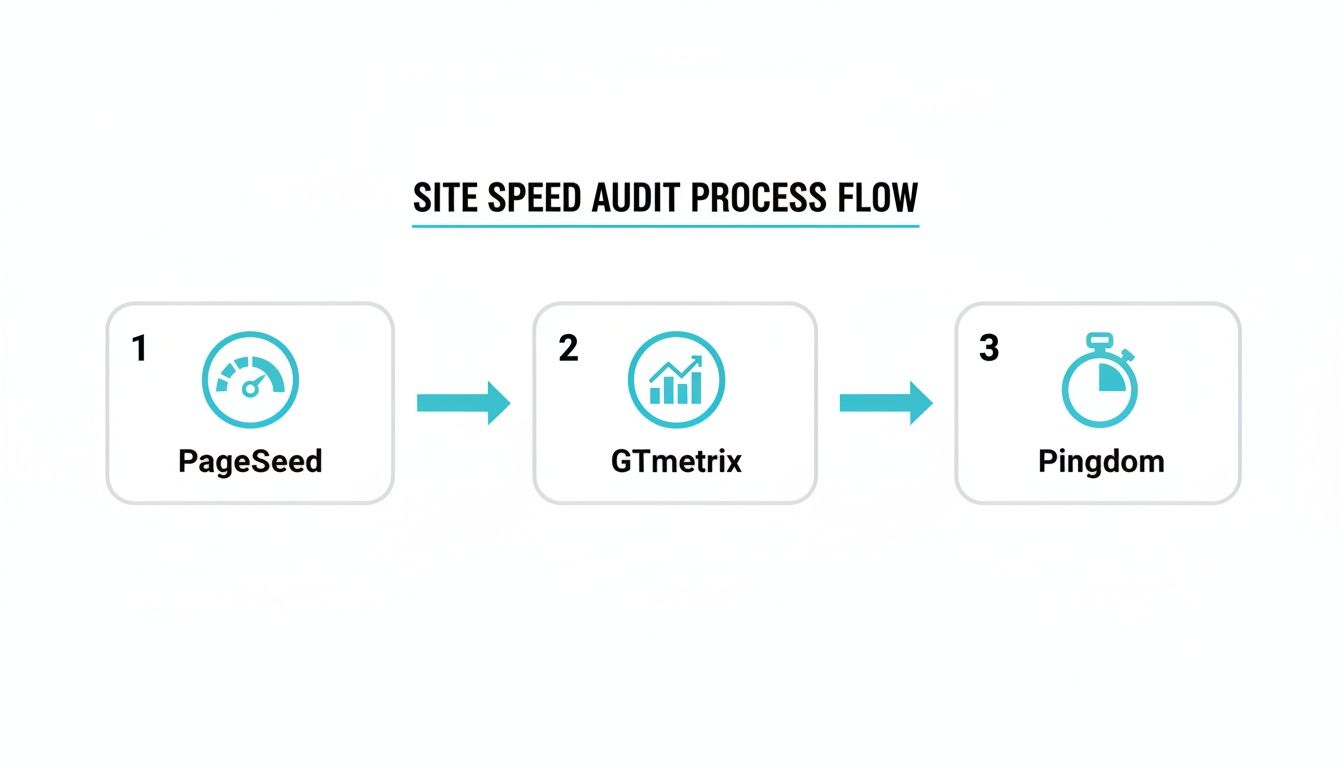
This process helps you build a complete picture of your site's health. You can ensure you're not just fixing one isolated issue but optimizing the entire user experience.
Unoptimized images are, without a doubt, the number one cause of slow websites. I've seen it time and time again. They are often the heaviest elements on a page, and getting them right can slash your load times dramatically.
Think of it like trying to send a massive video file over email; it’s going to be slow for everyone. The same principle applies here. Your goal is to find that perfect balance between crisp image quality and a lean file size.
Here’s how to get it done:
Browser caching is one of the most powerful ways to make your site feel lightning-fast for repeat visitors. It tells a visitor's browser to keep a local copy of certain files, like your logo, stylesheets (CSS), and scripts (JavaScript).
When that person comes back or visits another page, their browser can grab those files from local storage instead of downloading them all over again. This drastically cuts down on server requests and makes subsequent page loads feel almost instant.
Think of it like a regular at a coffee shop. The barista knows their order by heart and starts making it the moment they walk in. Browser caching lets your website do the same for returning visitors by "remembering" key files.
For MSPs using WordPress, this is a breeze to implement. Top-tier plugins like W3 Total Cache or WP Rocket handle all the heavy lifting with just a few clicks. They automatically add the necessary rules to your server, so you don't have to touch a line of code.
Your website’s code, HTML, CSS, and JavaScript, often contains extra characters that are only there to make it readable for developers. We're talking about comments, white space, and line breaks. While helpful during development, they're just dead weight for the browser.
Minification is the process of stripping out all these unnecessary characters. It compacts the code into the smallest possible size without breaking its functionality, resulting in a lighter file that downloads and runs faster.
For an MSP targeting local businesses, site speed is a serious competitive advantage. Pages that load in 1 second convert 3 times better than those loading in 5 seconds. Every second of delay chips away at user satisfaction by 16%. With mobile traffic now over 55%, a sluggish mobile experience is a major liability.
You don't need to be a developer to get this done. Most caching plugins come with minification features built right in. You can usually just check a box to enable it. This simple step contributes to a better user experience and sends positive signals to search engines, a concept we explore in our guide on what is mobile-first indexing.

Once you've tightened up the on-page essentials like image optimization and caching, it’s time to pull the more powerful levers. These are the strategies that build a truly high-performance foundation for your MSP website, the kind that leaves competitors in the dust.
Moving into these advanced tactics is how you graduate from a good site to a great one. It’s all about looking at your site’s core infrastructure, from where its files are physically stored to how they're delivered to prospects around the globe. This is where you'll find the most dramatic gains.
Let's be blunt: your web hosting is the bedrock of your site's performance. You can optimize every image and minify every line of code, but if your server is sluggish, your site will be sluggish. It’s that simple. For an MSP, settling for cheap, shared hosting sends the exact wrong message.
A slow server directly cripples your Time to First Byte (TTFB). This is the time it takes for a browser to get the very first piece of information from your server. A high TTFB means visitors are left staring at a blank screen before your page even begins to load.
Investing in quality managed hosting is non-negotiable. Whether you go with platforms like Kinsta, WP Engine, or a robust cloud provider like DigitalOcean, you're buying more than just server space. You're getting dedicated resources, optimized server configurations, and expert support.
Does your MSP serve clients across different states, or even internationally? If so, a Content Delivery Network (CDN) is an absolute game-changer. Think of a CDN as a global network of servers that stores copies of your website's static files like images, CSS, and JavaScript.
When a prospect from London visits your site hosted in Dallas, a CDN delivers those assets from a server located in or near London. This simple step dramatically cuts down the physical distance the data has to travel, which in turn slashes load times.
This isn't just for enterprise-level companies anymore. Services like Cloudflare or BunnyCDN offer powerful and affordable plans perfect for MSPs. Implementing a CDN is one of the single most effective ways to provide a consistently fast experience for every visitor.
A fast website is a direct reflection of your technical proficiency. When a potential client experiences a snappy, responsive site, it subconsciously reinforces their belief that you are the expert they need.
At the end of the day, we’re optimizing for one key outcome: generating more leads by ranking higher in search results. Google’s Core Web Vitals are the specific, user-centric metrics it uses to measure and reward a great page experience. Nailing these is your most direct path to better visibility.
Imagine a CTO clicks a link to your site, but your landing page takes 8.6 seconds to load. You've lost them. This is especially true when 50% of users expect a page to load in under two seconds. As you can see in these stats about the critical impact of website load times, conversions can plummet by 20% for every extra second of delay.
Let's connect the dots between your infrastructure upgrades and these critical metrics:
Focusing on Core Web Vitals isn’t just about appeasing an algorithm. It's about creating a genuinely better, frustration-free experience that Google recognizes and rewards with higher rankings.
Making your MSP website faster is a solid technical win, but what really matters are leads and new contracts. This is where we connect all that hard work directly to business growth. Proving the value of site speed isn’t just about feeling good about performance scores; it’s about justifying the time and resources you invested.
The goal is to translate faster load times into metrics that your sales team will celebrate. We’re moving beyond the technical jargon and into tangible business outcomes.
First, let's get proof of the technical improvements. Go back to the same tools you used for your initial audit, like Google PageSpeed Insights and GTmetrix. Run the exact same tests on the same pages you benchmarked before you started.
What you're looking for is a clear "before and after" picture. You should see a big jump in your overall performance scores. Drill down into the specific metrics you targeted, like a quicker Time to First Byte (TTFB) or a better Largest Contentful Paint (LCP) score. Grab screenshots of these reports, they're your evidence.
With your technical wins documented, it's time to pivot to Google Analytics. This is where you find the data that truly proves ROI. High performance scores are great, but a lower bounce rate and more contact form fills are what actually grow the business.
Keep a close eye on these key performance indicators (KPIs):
Your site speed improvements aren't just technical tweaks; they are a direct form of conversion rate optimization. Every millisecond shaved off your load time is another small nudge encouraging a visitor to become a client.
Website performance isn't a one-and-done project. New blog posts, marketing scripts, or even simple plugin updates can unintentionally drag your site's speed back down. To protect your hard-won gains, you need a simple, repeatable maintenance schedule.
Treat it just like the routine network health checks you run for your clients. A quarterly site speed check-in is a practical cadence that keeps performance on the radar. If you want to dive deeper into how these metrics influence your overall SEO, our guide on what Core Web Vitals are is a great resource.
Here’s a simple checklist to run through every three months:
Even after mapping out the core strategies, a few practical questions always pop up. Let's tackle some of the most common ones I hear from MSP owners about website performance. Getting these answers straight will help you move forward with confidence.
Think of your site speed like any other critical business metric. It's not something you can just set and forget. A good rhythm is to run a full audit once per quarter.
This is frequent enough to catch performance issues before they start hurting your lead flow, but not so often that it becomes a chore. Things like new blog posts or marketing scripts can quietly drag your site down. A quarterly check-in keeps you ahead of those sneaky slowdowns.
Absolutely, and for MSPs, it's a huge deal. Local SEO is competitive, and Google explicitly uses page experience signals, with site speed at the core, as a ranking factor. Imagine two local MSPs with similar services. The one with the faster, smoother website will almost always get the edge in the Map Pack and local search results.
Put yourself in a potential client's shoes. Someone searching "IT support near me" needs a solution, fast. A slow-loading site is an immediate point of friction that can cost you a client.
For a local service business like an MSP, a fast mobile experience is non-negotiable. Most local searches happen on a phone. A sluggish mobile site is the quickest way to lose a lead to the competitor down the street.
It's tempting to chase a perfect 100, but that’s usually overkill. A much better and more achievable target is a score of 90 or above in the "Performance" category on PageSpeed Insights.
Landing in that range signals that your site is well-optimized and gives visitors a great experience. It also means you've passed Google's Core Web Vitals assessment, which is what really moves the needle for your SEO. Focus your energy on getting into that green zone (90+) and making sure all your Core Web Vitals metrics are marked "Good." That's the sweet spot.
Ready to turn your website into a lead generation machine that consistently attracts high-value clients? At The MSP SEO Agency, we specialize in building the high-performance digital foundation that gets you seen. Book a discovery call with us today and let's start building your growth engine.
Site speed improvements deliver compounding benefits across your entire MSP SEO strategy. Faster pages earn better rankings, lower bounce rates, and higher conversion rates, which means every other SEO investment you make, from content creation to link building, works harder when it lands on a fast-loading site. The best MSP SEO agencies treat performance optimization as a foundational element of their MSP SEO services rather than an afterthought. When your MSP website SEO includes ongoing speed monitoring and optimization, you create a competitive advantage that most managed service providers in your market simplyhavenotprioritized.
See how targeted SEO delivers measurable impact for managed service providers. Explore our proven strategies and real-world outcomes.