
If you don't know how to track your SEO performance, you're flying blind. It really boils down to one simple truth: you have to connect search data to actual business outcomes. This means looking past feel-good numbers like website traffic and zeroing in on what actually generates leads. Things like organic conversions and high keyword rankings for your MSP’s core services are what matter. This is how you prove your SEO investment is paying dividends.
Pouring money into SEO without tracking it is like driving a new car without a dashboard. As an MSP owner, you live and breathe data to make decisions, and your marketing shouldn't be any different. This guide cuts through the noise and shows you exactly what to measure to see real business growth. We're moving beyond vanity metrics to connect your SEO efforts directly to new leads and signed clients.
The entire goal is to build a crystal-clear, data-driven picture of your return on investment. You need to know which keywords are bringing in qualified prospects for your cybersecurity services and which blog posts are actually warming up potential clients. It’s not just about getting more clicks; it’s about getting the right clicks.
To do this right, your tracking system needs to stand on a few core pillars. Each one answers a different, but equally critical, question about how you're performing online. Think of it as a complete diagnostic for your digital marketing health.
These pillars form the foundation for everything that follows. For a deeper dive into the foundational elements of analysis, you might find our guide on how to conduct an SEO audit helpful, as it sets the stage for effective tracking.
To help visualize this framework, here’s a quick summary of the essential components you'll need to build a comprehensive SEO tracking system.
The most successful MSPs I've worked with treat SEO not as an expense, but as a predictable lead generation engine. Tracking performance is what fuels that engine, allowing you to fine-tune your strategy for maximum efficiency and growth.
Ultimately, learning how to track SEO performance is about gaining control. It’s about transforming your website from a digital brochure into a powerful asset that consistently delivers qualified leads and helps you scale your MSP predictably.
Before you even touch a tracking tool, let's get one thing straight: what does a "win" actually look like for your MSP? Tracking SEO performance without a clear finish line is like collecting stats in a game with no scoreboard. True success isn’t about hitting the number one spot for a random keyword. It's about generating a steady stream of qualified leads for your managed security services or owning the local search results in your city.
Your SEO goals have to be a direct reflection of what you're trying to achieve as a business. If your MSP needs to sign five new co-managed IT clients this quarter, a solid SEO goal would be to generate 20 marketing-qualified leads (MQLs) from organic search for related services. This connection makes sure your marketing efforts are actually moving the needle, not just making noise.
This mindset forces you to look right past the vanity metrics. Sure, high website traffic looks great on a chart, but if none of those visitors ever request a quote for your SOC services, it's not doing much for your bottom line.
I see a lot of MSP owners make the mistake of focusing only on lagging indicators. These are the results, the outcomes that are easy to count but tough to influence directly, like monthly recurring revenue (MRR) from new clients. While MRR is obviously the ultimate prize, it's the final domino to fall after a whole series of smaller actions.
Leading indicators, on the other hand, are the metrics you can actually control that predict future success. Think of them as the inputs that create your desired outcomes. For an MSP, this means tracking things like keyword ranking improvements for high-intent terms or the number of organic visitors who download your latest cybersecurity checklist.
By focusing on leading indicators, you're not just measuring the past; you're actively shaping the future. An increase in rankings for "IT support for law firms" this month is a strong signal of more qualified leads next month.
Here's a simple but powerful way to visualize this process: define your goals, measure the right data, and then act on what you find.
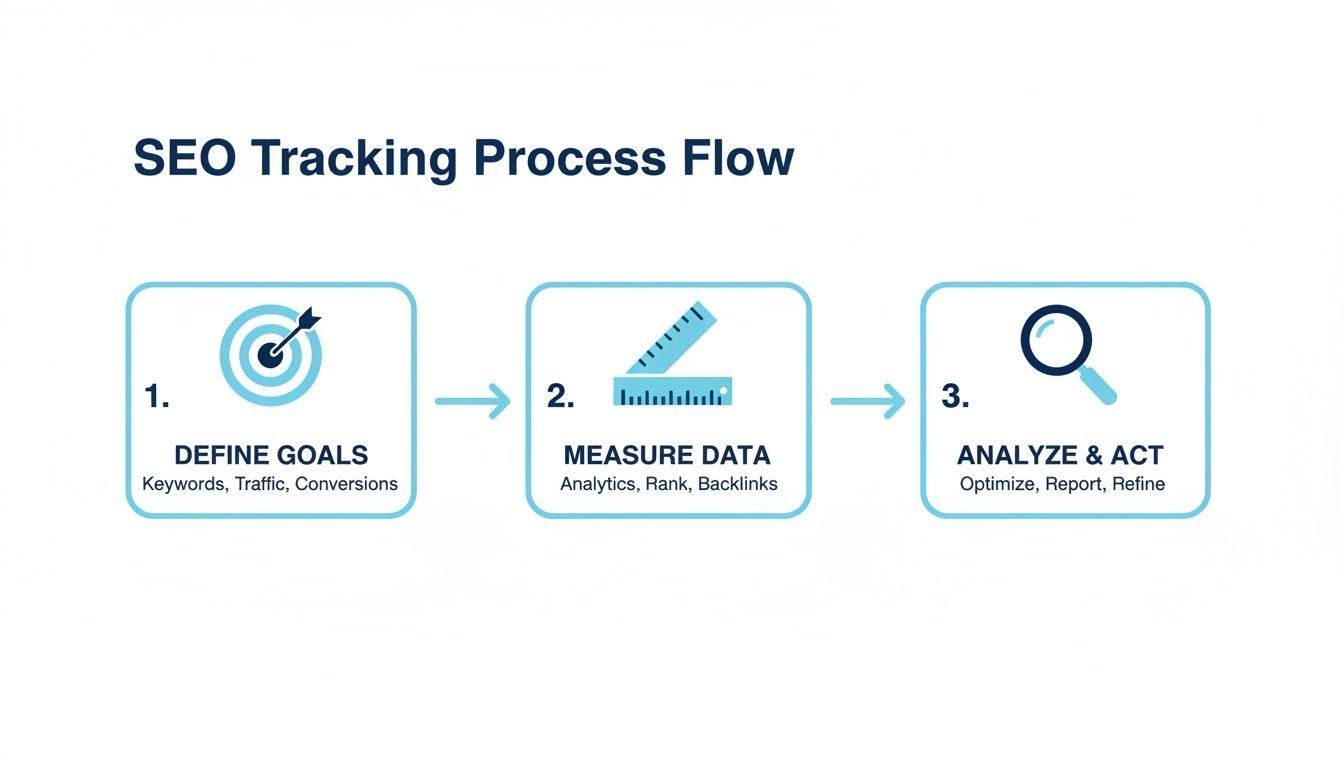
Following a workflow like this keeps your strategy grounded. It ensures every piece of data you measure is part of a bigger plan to analyze what's working and make smarter decisions for your MSP.
Once you've got the difference between leading and lagging indicators down, you can define the specific Key Performance Indicators (KPIs) that truly matter. These are the hard numbers that tell you if you're on track to hit your goals.
For an MSP, your KPI dashboard should be laser-focused on lead generation and local visibility. Forget the generic fluff and concentrate on these instead:
These KPIs tell a clear, concise story about your SEO performance. They directly connect your day-to-day activities to outcomes that justify the investment and drive real, measurable growth for your MSP. This data-driven approach is how you turn SEO from a cost center into a predictable revenue generator.
You can have all the data in the world, but if it’s not coming from the right sources, you’re just spinning your wheels. To get a real grip on your SEO performance, you need a solid set of tools. Think of this as the diagnostic software for your MSP's lead generation engine, as each tool gives you a different, critical piece of the puzzle.
The real trick isn't just installing them. It's about configuring them to track the actions that actually matter to your bottom line, like a prospect filling out your "Request a Consultation" form. Let's dig into the must-haves for your MSP.

First on the list is Google Analytics 4 (GA4). This is your foundation for understanding how real people interact with your website. It’s the tool that shows you where visitors come from, what pages they spend time on, and what they do while they're there. For an MSP, its most powerful feature is conversion tracking.
Setting up GA4 isn't a "set it and forget it" task. You have to explicitly define the events that align with your business goals. These aren't just page views; they're the tangible actions that signal a potential client is ready to talk.
While GA4 shows you what happens on your website, Google Search Console (GSC) tells you what happens before anyone even clicks. It’s the raw, unfiltered data straight from Google about how your site appears and performs in search results. This is your source of truth for SEO health.
Think of GSC as your direct line to Google. Ignoring the data here is like ignoring a critical alert from your own RMM software. It reveals technical issues, keyword performance, and indexing problems you simply can't find anywhere else.
Inside GSC, your first stop should be the "Performance" report. This is where you’ll find the exact search queries people use to find you, along with your impressions, clicks, and average ranking position for each. It’s a goldmine for understanding what’s really driving traffic. To get even deeper, you'll want to explore what Core Web Vitals are and how GSC helps you monitor them.
Finally, you need a dedicated platform for tracking keyword rankings and keeping an eye on the competition. GSC gives you a helpful average position, but tools like Semrush or Ahrefs provide daily, specific ranking data for your most critical commercial keywords.
These platforms are essential for a few key reasons:
Assembling your toolkit is about more than just gathering software; it's about building a system that gives you clarity. With these core tools in place, you can move from guesswork to a data-driven process where you know exactly which efforts are generating leads for your MSP.
To pull it all together, here's a quick breakdown of how these tools fit into your daily workflow.
Each tool provides a unique lens into your performance. By combining insights from all of them, you get a complete, 360-degree view that’s essential for making smart, strategic decisions that grow your business.
Let's be honest, raw data from your SEO tools is a mess. Bouncing between Google Analytics 4, Search Console, and your rank tracker every day isn't just inefficient. It’s a recipe for missing the big picture. The real secret to understanding your SEO performance is to pull all that data into a single, cohesive story. That's where a real-time dashboard comes in.
Forget about those cluttered spreadsheets and endless data tables. Your goal is to create a one-page report you can glance at and immediately get a pulse on your entire SEO program. A well-built dashboard answers your most critical questions in seconds, not hours.
For this, a tool like Google's Looker Studio is your best friend. It’s free, integrates seamlessly with Google's own tools, and automates pulling data from GA4 and GSC. You can also plug in data from your rank tracker and CRM, giving you a true 360-degree view of your marketing funnel.
A good dashboard isn't just a collection of charts; it's a narrative. It should walk you from high-level trends right down to the specific, actionable details. For an MSP, this story almost always follows the customer journey, from that first search query to becoming a qualified lead.
Your dashboard should be visually organized to mirror this flow. Start at the top of the funnel with metrics like organic visibility and traffic. Then, move into mid-funnel engagement, and finish with bottom-of-funnel conversions. This structure makes it incredibly easy to spot bottlenecks. For instance, if traffic is way up but conversions are flat, you know exactly where you need to start digging.
A dashboard is more than a report; it's a decision-making tool. It should highlight not just what happened, but also prompt the question, "What should we do next?" If it doesn't lead to action, it's just a collection of numbers.
This kind of visualization helps you spot month-over-month trends and drill down into specific data points without getting lost in the weeds of a complex analytics platform.

So, what should you actually put on this thing? It's easy to get carried away and try to include every metric under the sun. Don't. Focus only on the KPIs that tie directly back to your business goals.
Here are the essential components I recommend for every MSP dashboard:
Once your dashboard is live, the real work begins: using it. Set aside time every week or two to review the data. Look for trends, anomalies, and, most importantly, opportunities.
For example, if you see a service page with high traffic but a stubbornly low conversion rate, that’s an immediate action item. You can then investigate why. Is the call-to-action buried? Is the copy not matching what the user was searching for? Is the page painfully slow to load?
The same idea applies to your content. A blog post on "common HIPAA compliance gaps" might suddenly start driving a ton of traffic. That’s a clear signal to create more content around that topic or add a stronger call-to-action for a free compliance audit.
This regular review process is what transforms your dashboard from a static report into a dynamic tool for continuous improvement. It ensures you're not just tracking performance but actively steering your SEO strategy toward what works, helping you generate more qualified leads and grow your MSP.
Tracking your SEO metrics is just the start. The real magic happens when you move beyond simply collecting numbers and start asking, "So what?" Raw data on its own is just noise; it’s your job to translate it into a strategy that actually drives leads. This is how you turn observations into actions that fuel your MSP's growth.
For example, you might see that a blog post about "cybersecurity for small businesses" is pulling in a ton of traffic. That's a great sign, but what's the real story? Is any of that traffic converting into demo requests or consultation calls? If not, you have a huge opportunity hiding in plain sight. Answering that question is the key to turning a popular article into a genuine lead-generation asset.
Every number on your dashboard is a clue. Think of yourself as a detective, piecing those clues together to uncover your next move. A high-traffic blog post with a dismal conversion rate isn't a failure. It's a golden opportunity waiting for you to unlock it.
This single insight should immediately spark a few strategic questions. Is the call-to-action (CTA) buried at the very bottom of the page where no one sees it? Is the language too generic? Maybe you need to offer something more compelling, like a downloadable security checklist, to convince visitors to hand over their contact info.
Here’s a practical way to think through what you're seeing:
Your SEO data doesn't just tell a story about your own website; it can give you the entire playbook for beating your competition. Let’s say a rival MSP consistently outranks you for a critical keyword like "co-managed IT services in [Your City]." Don't get frustrated, get strategic.
Fire up a tool like Ahrefs or Semrush and start reverse-engineering their success. Take a hard look at the specific page that’s ranking. How is their content structured? What keywords are they using in their headings and subheadings? Most importantly, who is linking to that page?
Analyzing a competitor's strategy isn't about copying them. It's about identifying the benchmark for success in your market and then building a plan to exceed it. Find their weak spots and make them your strengths.
This deep dive might reveal they have a handful of high-authority links from local business directories that you’re completely missing. That’s an immediate, actionable task for your next link-building push. Or maybe you'll find their page is solid but lacks a compelling case study. Adding one to your own page could give you the exact edge you need. The goal is always to find tactical weaknesses you can exploit.
To get a complete picture of your own content's strengths and weaknesses, a full SEO content audit is the best way to find these hidden opportunities.
The most successful MSPs don't treat SEO as a one-and-done project. They treat it as a continuous cycle of testing, learning, and improving. Knowing how to track performance is foundational, but the real, sustainable growth comes from consistently acting on that data. This creates a powerful feedback loop.
Here’s what that cycle looks like in the real world:
This rhythm of reviewing, identifying, and adjusting is what separates MSPs that get mediocre results from those that build a predictable lead-generation machine. It ensures your strategy is always evolving based on what the data is telling you, keeping you ahead of the competition and consistently growing your pipeline.
Clicks and conversions are great, but they don't pay the bills. The real test of your SEO efforts, the one that truly matters to your bottom line, is tying all that activity directly to closed deals. This is where we stop talking about marketing metrics and start talking about revenue.
This final step is all about bridging the gap between your marketing dashboard and your sales pipeline. It means getting cozy with your sales team or, even better, integrating your analytics with your CRM. Whether you're using HubSpot or a PSA like ConnectWise, the goal is to trace a lead’s entire journey, from their first Google search right through to a signed contract.
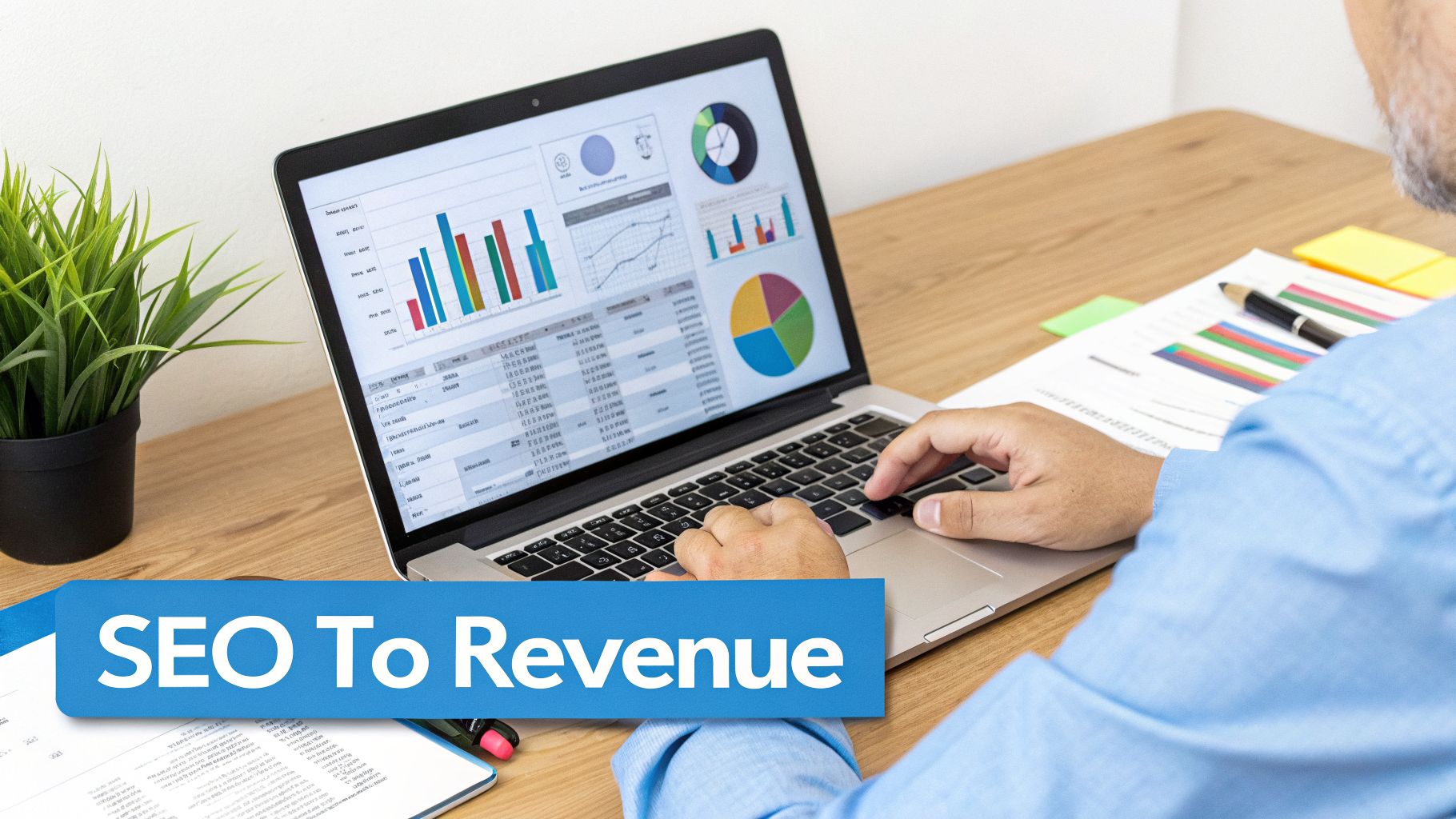
To truly prove the value of your SEO, you have to be able to point to a new client and trace their origin back to organic search. When a new managed services contract gets signed, you should be able to see the digital breadcrumbs that led them there: the specific blog post they read or the service page they landed on from Google.
This kind of end-to-end tracking lets you answer the questions that actually drive business strategy:
Tracking revenue attribution is non-negotiable. It’s how you definitively prove that your investment in a blog post about SOC 2 compliance last quarter led directly to signing a $5,000 MRR client this month.
Once you can connect organic leads to actual revenue, calculating your ROI becomes simple arithmetic. The two figures you need to nail down are your Customer Lifetime Value (CLV) from organic search and your Cost Per Acquisition (CPA) for the SEO channel.
Let's run the numbers. Say a typical client pays you $3,000 per month and sticks around for three years. Their CLV is a whopping $108,000. If you invest $36,000 in SEO over a year and land just four new clients from it, your CPA for each client is $9,000.
This simple math shows that for every dollar you put into SEO, you get twelve dollars back. Now that's a conversation worth having with your leadership team. This data is the ultimate justification for your marketing budget, transforming SEO from a line-item expense into a predictable and highly profitable growth engine for your MSP.
Even with the best plan, you're bound to have questions once you start digging into the data. Here are a few I hear all the time from MSP owners trying to get a handle on their SEO performance.
This is a big one. For most MSPs, a quick weekly check-in is plenty. You'll want to glance at your core numbers like organic traffic, keyword rankings for your main services, and how many leads came through.
The real strategic work happens during a more thorough monthly review. That’s when you can spot meaningful trends and make smart adjustments. I always tell clients to avoid the temptation of daily checks. The day-to-day data swings are often just noise and can trick you into making knee-jerk changes that don't help.
If you're a local MSP, your focus should be hyperlocal. You need to know how you're performing right in your own backyard.
The absolute most critical metrics are:
Measuring the impact of technical changes can feel abstract, but it doesn't have to be. Your best friend here is Google Search Console.
After you deploy a fix, say you’ve resolved a bunch of 404 errors, keep an eye on the ‘Coverage’ report in Search Console. You should see a steady decline in those errors over time. Another great practice is to add an annotation in Google Analytics 4 on the day you made the change. This lets you visually connect the dots between your action and any subsequent lift in organic traffic or improvements in your Core Web Vitals scores.
Ready to stop guessing and start getting predictable leads from your website? The team at MSP SEO Agency builds data-driven SEO programs that connect directly to your business goals. Learn more about how we help MSPs grow.
See how targeted SEO delivers measurable impact for managed service providers. Explore our proven strategies and real-world outcomes.